
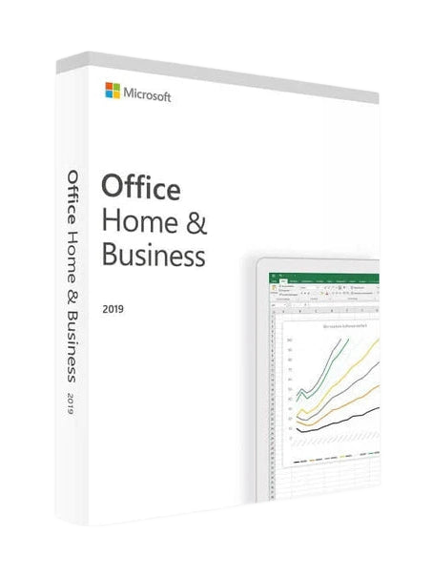
Microsoft Office 2019 Home and Business Key
Outright Purchase: The Bulwark Against Subscription Inflation
Office 2019 vs Microsoft 365: Why does the perpetual license still win?
The main difference between Microsoft 365 and Microsoft Office 2019 lies in the billing method. While the former requires a recurring subscription, the perpetual 2019 version only requires a single upfront payment. Once the code is registered on your Microsoft account, you have a definitive license.
This is the perfect offer for those who want to choose the best Office suite for me without relying on online services or the cloud to use their daily work tools.
Office 2019 vs 2021/2024: What are the real differences for your productivity?
Although newer versions like Office 2021 or Office 2024 are available, you might legitimately ask why still choose Office 2019? The answer is simple: stability.
This version meets the needs of 95% of businesses while being offered at a much more affordable base price. It includes all essential security updates for intensive use in a business or home setting.
Office 2019 Price: The Most Affordable Option for Small Budgets
If you are looking to install Office at a lower cost, the 2019 edition offers the best value for money.
By consulting our page, you will see that the add to cart price is significantly lower than more recent editions, while still offering a complete and official version.
Technical Guide: Installing and Activating Your Office 2019 License
Windows 10 and Windows 11 Compatibility: Proven Stability
The 2019 package is fully compatible with Windows 10 and 11. Whether your system runs in 32 or 64 bit, the installation is optimized to ensure fluid performance on your device. For those who have just purchased a new PC, find out which Office suite for Windows 11 is best suited for your hardware.
Mac Version: macOS Specifics and Dock Tips
For Apple users, the download of the Home & Business version allows you to install Word, Excel, and PowerPoint natively on your Mac.
You can then edit your documents and add your favorite applications to the Dock for quick access.
How to download the official installation file and activate your key
The process is simple: after purchase, you receive a link to download the installation file directly from the publisher's server.
The instructions provided guide you to connect your Microsoft account and enter your product key to validate activation.
2019 Pack contents: Essential tools included
Word, Excel, and PowerPoint: The Pillars of Word Processing and Spreadsheets
These three applications form the basis of any office suite. Word remains the quintessential word processing tool for any administrative document.
Excel enables complex data management through its spreadsheets, while PowerPoint facilitates the creation of impactful animations and presentations.
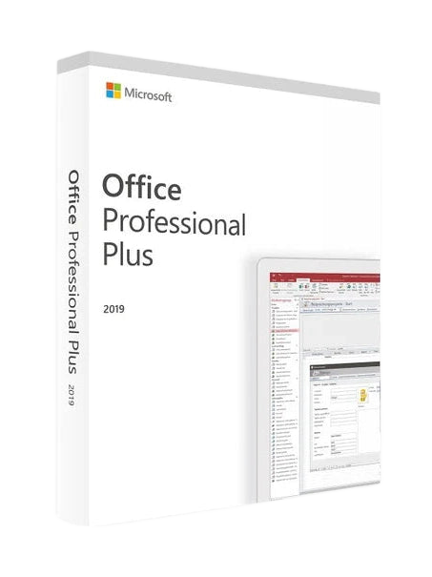
Outlook, Publisher and Access: The benefits of the Professional Plus edition
For more advanced organization, the Microsoft Office 2019 Professional version adds essential business software.
Outlook manages your email, Access your databases, and Publisher your print layouts. That's the advantage of Office Pro: a complete solution for every type of task.
Office 2019: The choice of sobriety and digital independence
Why "Software Minimalism" Boosts Your Focus
Unlike ultra-connected versions such as Microsoft 365, Office 2019 offers a work environment free of unnecessary distractions.
By limiting intrusive Cloud notifications or constant artificial intelligence suggestions, you encourage deep work.
This edition is the perfect tool for those who prefer a streamlined interface and usage focused on the pure creation of documents.
Right to Disconnect: Work 100% Offline (Air-Gapped)
In an era of constant surveillance, keeping your data local is a security requirement for many businesses. With Microsoft Office 2019, you don't need a permanent internet connection.
Your files remain in your physical storage space, away from prying eyes. This is the ideal sovereignty solution for professionals handling confidential information.
Software ecology: Why keeping a stable version extends your hardware's lifespan
Installing the 2019 version is less demanding on system resources than the latest versions, which are saturated with background apps.
By putting less strain on your processor and RAM, you reduce your computer's heat and extend your device's lifespan.
This is a concrete digital sobriety approach against planned obsolescence.
Microsoft Office 2019 Frequently Asked Questions (FAQ)
How to download Office 2019 for free?
The installation file can be downloaded free of charge via the official publisher's link provided after your purchase. However, to use it legally, you must have a valid activation key. Da Licences offers you this license at an unbeatable price with full instructions.
How much does Office 2019 cost?
The base price on our site is designed to be the most competitive on the market.
Take advantage of an exceptional offer by visiting our page: the add to cart price includes a significant discount compared to the standard rate.
Delivery is immediate by email.
What applications are included in Office 2019?
The Microsoft Office 2019 Professional package is a complete office suite.
It includes: Word, Excel, PowerPoint, Outlook, as well as Publisher and Access for advanced data management and layout needs.
How to Install Microsoft Office 2019?
The installation is a quick process. Once the file is downloaded, run the program, connect your Microsoft account, and enter your code. If you encounter any difficulty, our help service is available to assist you.
What's the difference between Office 2019 and 365?
The main difference is the licensing model. Office 2019 is a perpetual license (one-time purchase, valid for life), while Office 365 is a subscription with continuous updates but a recurring cost.
Customer Reviews: Why they chose stability at Dalicences
Check each review and comment to see our customers' satisfaction. The overall rating highlights the security of transactions and the efficiency of technical support. Our customers recommend Da Licences for its reliability and 100% functional licenses.
For users looking for newer collaboration features, explore our Office 2021 collection or the brand new Office 2024. If you have older hardware, we also offer office licenses for Office 2016 or Office 2013.
- Choosing a selection results in a full page refresh.
- Opens in a new window.