

Remote Installation
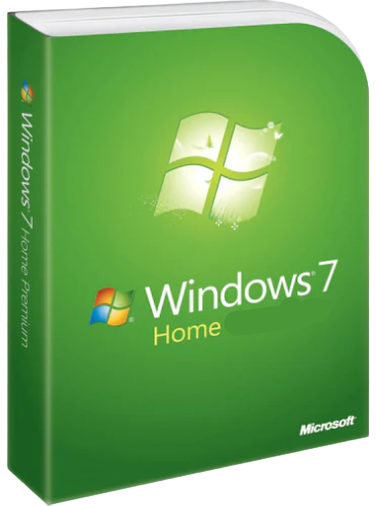
Windows 7 Home

• 1 official activation key (lifetime license - no subscription)
• Activation for 1 device
• Official download + installation guide
• Multilingual


Are you a professional?
Custom quote, tailored solutions and a free call to assist you.
Discover the pro spaceWindows 7 Home
| License duration | Lifetime access |
| Number of devices | 1 PC |
| Edition | Home & Family |
| Language | Multilingual |
| Delivery | Instant delivery by email |
Microsoft Windows 7 Home Key – Official License
Windows 7 Home is a Microsoft operating system intended for domestic and personal use, designed to offer a simple, stable, and fluid computer experience. This edition meets the essential needs of the general public, with a clear interface, quick handling, and excellent software compatibility.
Compared to higher editions, Windows 7 Home focuses on the essentials: fluid browsing, file management, running common applications, compatibility with Microsoft Office, USB devices, printers, and standard software. It is an ideal version for daily home use, on a desktop or laptop PC.
Instant delivery by email
Purchase Windows 7 Home Premium at the lowest market price and immediately receive by email:
- A lifetime activation key for Windows 7 Home Premium
- A download link for Windows 7 Home Premium
- A complete installation and download guide
- The operating system in all languages
Your license purchase also includes:
- 7/7 technical support to assist you with installation
- Invoice with 20% VAT (deductible from your taxes if you are a company)
The Windows 7 Home key offered by DA Licences allows for definitive activation on one PC, without subscription or renewal. The license is provided in a digital version, with immediate delivery by email, accompanied by an official download link and a detailed installation guide.
This edition is part of the Windows 7 key range, alongside Windows 7 Ultimate, Windows 7 Home Premium and Windows 7 Pro. Also find all systems in the Windows key collection.
📩 Delivery
- Sent immediately by email after payment confirmation.
- Digital product – no physical delivery.
⚖️ Legal information
In accordance with article L221-28 of the Consumer Code, digital products supplied immediately are not subject to the right of withdrawal.
✅ Functionality Guarantee
Your license is guaranteed to work upon activation.
In case of installation or activation issues, our technical support is available 7 days a week to assist you until the service is up and running.
ℹ️ This guarantee covers defects in the functionality of the provided key.
If you have any questions, you are always welcome to contact us. We'll get back to you as soon as possible, within 24 hours on weekdays.
-
Informations d'expédition
Use this text to answer questions in as much detail as possible for your customers.
-
Customer Support
Use this text to answer questions in as much detail as possible for your customers.
-
FAQs
Use this text to answer questions in as much detail as possible for your customers.
-
Contact Us
Use this text to answer questions in as much detail as possible for your customers.
Quick and easy installation after your order
Watch a video of the post-purchase steps: email reception, installation, and activation in just a few minutes.