Which Windows operating system to choose in 2026?
The question has never been more strategic. Between end of support, security updates, hardware requirements like TPM, new latest-generation Intel Core chips, integration of artificial intelligence with Copilot, and rapid evolution of professional and gaming uses, choosing a Windows version becomes a real technological turning point. A wrong choice can expose your computer to vulnerabilities, limit performance, or make certain software and applications incompatible.
Microsoft is accelerating the pace: regular updates, reinforced security patches, new cloud functionalities, DirectStorage, Auto HDR, Snap Windows, virtual desktop, widgets, rounded Start menu, and an interface designed for daily productivity. But not all machines are compatible, and some alternatives like Linux can become relevant depending on the use, cost, and level of control desired. Individual, business, IT fleet, gaming, or simple internet use, this guide helps you prepare for 2026, check your hardware, understand the advantages and disadvantages, and make a performing, secure, and durable choice.
Overview of different Windows versions
Windows 7: the still-loved veteran
Released in 2009, Windows 7 was long the preferred version for users, with over 630 million active users at its peak. Light, fluid, stable, it marked a generation.
But in 2026, Windows 7 no longer receives security updates. It therefore becomes a risky choice, especially for connected use. It can still be suitable for certain specific environments, but for the majority, it's time to upgrade to a more recent version.
Windows 8 and 8.1: a mixed experience
Launched in 2012, Windows 8 aimed for innovation with a completely redesigned, touch-oriented interface. Unfortunately, the result was not convincing. At its peak, it only reached 12% market share.
Even with Windows 8.1, correction attempts were not enough to convince. In 2026, this version is considered outdated and not very ergonomic. To be avoided for daily use.
Windows 10: the versatile choice
Since its launch in 2015, Windows 10 has established itself as a perfect compromise between performance, compatibility, and reliability. In 2026, it is still used by over 65% of Windows users worldwide.
It benefits from regular updates, a familiar interface, and excellent compatibility with software and peripherals. Windows 10 is still a very good choice today, especially for those who want to avoid the stricter hardware requirements of Windows 11.
Windows 11: the future-oriented system
Released in 2021, Windows 11 is the latest version of Microsoft's operating system. New design, improved features, enhanced productivity, and increased security: it's the natural choice for users looking for modernity.
In 2026, Windows 11 is ideal if you have a recent PC (compatible with TPM 2.0 in particular). It offers a fluid and pleasant user experience, designed to last.
Comparison of operating systems: Windows versus Mac and Linux
macOS: an elegant but closed system
Apple's operating system seduces with its design and fluidity. It works perfectly with Apple devices and is popular in creative circles (graphics, video editing, etc.).
But macOS remains a closed system. It is less compatible with many software, especially games, and requires the purchase of often expensive hardware.
Linux: freedom with its limits
Linux is a free and open-source operating system, ultra-flexible, popular with developers and enthusiasts. It offers great customization and good performance, even on old computers.
But for the average user, Linux can be complex to get started with. Many market software are not available on Linux, which can limit its adoption.
Windows: a balance between compatibility and simplicity
In 2026, Windows remains the most used operating system in the world, with over 70% market share. Why? Because it offers an excellent balance between accessibility, compatibility, and performance.
Whether for work, games, professional software, or office automation, Windows is there. And thanks to DA Licences, you can get an official Windows license at a low price, quickly and securely.
Comparative table of Windows operating systems to consider in 2026
| Operating System | Microsoft Support | Security & Updates | Hardware Compatibility | Performance & Usage | Main Advantages | Disadvantages / Limitations |
|---|---|---|---|---|---|---|
| Windows 11 (22H2 / 23H2+) | ✔️ Active | ✔️ Regular patches, enhanced security, TPM 2.0 | High requirements (TPM, recent CPU, SSD) | Optimized for productivity, gaming, AI | Copilot, DirectX 12, DirectStorage, modern interface, cloud | Incompatible hardware, impossible installation on old PCs |
| Windows 10 | ⚠️ Gradual end (October 2025) | ❌ No more standard updates after end of support | Very broad compatibility | Stable, good performance | Compatible with old PCs, familiar interface | Security risks, software obsolescence |
| Windows 10 + ESU | ✔️ Paid extended support | ✔️ Critical patches only | Broad compatibility | Identical to Windows 10 | Extended security without changing OS | Additional cost, no new features |
| Windows Server (detoured workstation) | ✔️ Long term | ✔️ Very high | Server hardware required | Stable but not very ergonomic | Security, total control | Not well suited for user workstation |
| Linux (Ubuntu, Mint, etc.) | ✔️ Community | ✔️ Very good | Very broad, even old hardware | Varies by distribution | Free, light, secure | Windows software compatibility, learning curve |
| ChromeOS (compatible PCs) | ✔️ Active | ✔️ Automatic | Specific hardware | Web and cloud usage | Fast, secure, simple | Limited offline |
| macOS (Apple Silicon) | ✔️ Active | ✔️ Very high | Apple hardware only | Excellent performance | Apple integration, stability | High cost, no Windows |
Guide on how to know the current version of Windows
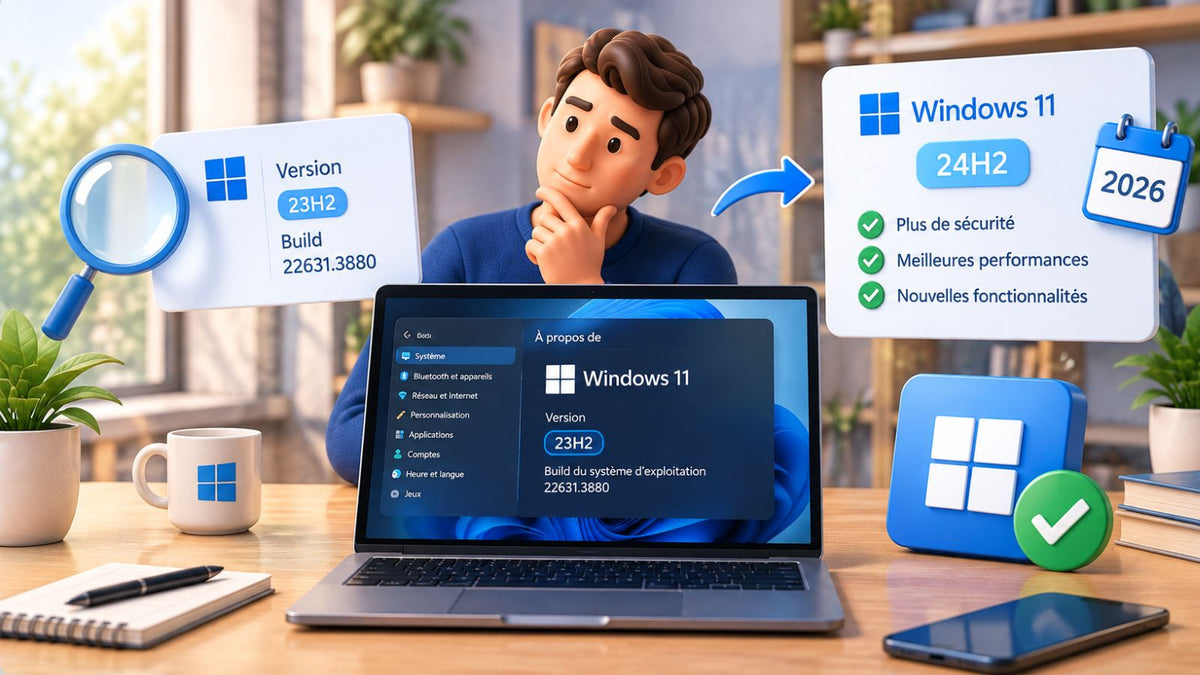
Don't know which version of Windows you're using? No worries! There's a simple and quick way to check. Here are the steps to find out your current version of Windows in a few clicks:
-
Open the "Start" menu: Click the Start button in the lower-left corner of your screen.
-
Access settings: Type "Settings" in the search bar and open the corresponding application.
-
Go to "System": In the settings window, click on "System".
-
Check version information: Scroll down and click on "About". You will find information about the version of Windows installed on your device, including the version and build number.
If you are on Windows 10 or Windows 11, you will also see if recent updates have been installed. This can be useful to know if you are up to date in terms of security and features.
Consequences of operating system obsolescence
Each version of Windows has a limited lifespan. In 2026, several older versions like Windows 7 or Windows 8 are now obsolete, which can have significant consequences for users.
1. Security risks
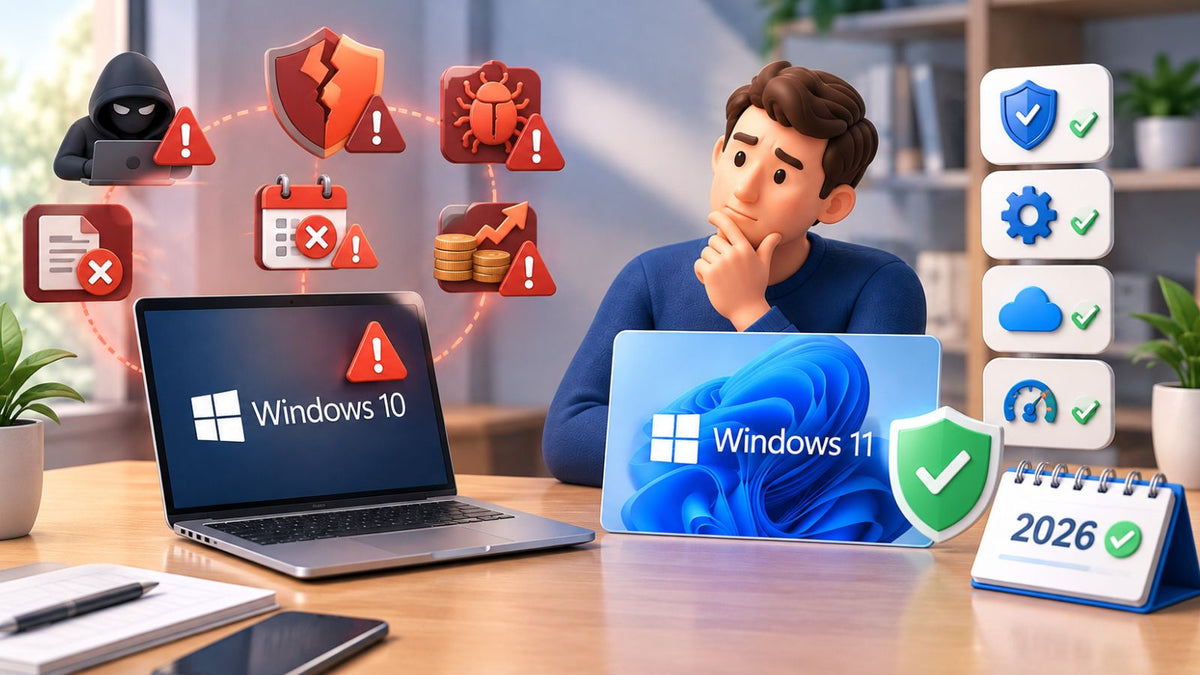
When Windows reaches its end of life, Microsoft stops providing security updates. This means that vulnerabilities and security flaws will no longer be corrected, exposing your computer to attacks from cybercriminals. Without protection, your personal data, bank information, and files can be at the mercy of malware or ransomware.
2. Incompatibility with new software
As new software and applications are released, they are often optimized for recent versions of Windows. If you use an obsolete version like Windows 7, you risk experiencing compatibility issues with some modern programs. Certain productivity software, video games, or professional tools might simply refuse to run.
3. Lack of technical support
Another major drawback of operating system obsolescence is the end of technical support from Microsoft. If you encounter a technical problem, it will be much more difficult to find solutions, as the community and forums will likely no longer provide answers adapted to older versions of Windows.
4. Reduced performance
Older versions of Windows are also less optimized for recent PCs. If you use Windows 7 or Windows 8, you risk experiencing performance issues on modern machines, which are designed to leverage the capabilities of recent versions like Windows 10 and Windows 11.
5. Loss of new features
Regular updates to Windows 10 and Windows 11 bring innovative features: improved productivity, new security tools, and a redesigned interface. If you stick with an obsolete version, you deprive yourself of these new features. You also miss out on the necessary adjustments to make your experience more fluid and enjoyable.
How do I update my Windows operating system?
Updating your Windows operating system is essential to stay protected, enjoy the latest features, and ensure compatibility with your software. Whether you're on Windows 10 or Windows 11, the process is simple and quick.
Here's how to do it:
-
Open SettingsClick the Start menu, then select Settings.
-
Go to Windows UpdateIn the menu, click on Update & Security, then on the Windows Update tab.
-
Check for updatesClick the "Check for updates" button. If updates are available, Windows will download them automatically.
-
Restart your PCOnce the updates are installed, you may need to restart your computer to finalize the operation.
Need a full upgrade?
If you're still using Windows 7 or Windows 8.1, a simple update is no longer enough. You'll need to upgrade to Windows 10 or Windows 11. And for that, nothing could be simpler: get an official Windows license from DA Licences, follow our installation guide, and you're done!
What are the most used operating systems currently?
In 2026, trends have evolved, but the big names remain the same. Here's an overview of the most used operating systems currently, across all platforms.
On desktop computers, Windows remains the undisputed leader, with over 68% market share worldwide. In detail:
-
Windows 10 remains dominant, although slightly declining, with approximately 55% of Windows users.
-
Windows 11 continues its progression, with an estimated adoption of 35%, mainly due to its default installation on new PCs.
-
Older versions like Windows 7 or 8.1 are now marginal, below 5% combined.
On the competition side:
-
macOS maintains its presence, with approximately 15% of the desktop market share, mainly among professionals and creatives.
-
Linux stabilizes around 3%, appreciated for its flexibility and lightness.
-
Chrome OS, used mainly in the education sector, remains discreet but stable.
Which version to choose?
In 2026, choosing the right version of Windows is more important than ever. Older versions like Windows 7 and Windows 8 are now obsolete, which can lead to security risks, compatibility issues, and a degraded user experience.
To benefit from the security, compatibility, and new tools offered by Microsoft, it is essential to upgrade to a more recent version, such as Windows 10 or Windows 11. And for that, DA Licences is here to offer you official Microsoft licenses at a reduced price, with ease.
Don't let obsolescence hinder your productivity or endanger your security. Update your Windows system today and fully enjoy what technology has to offer.